In short
- The scheduler and the portfolio layer are separate things. Only the portfolio layer has gone.
- A replacement should read the schedule files your planners already produce.
- Run one reporting cycle in parallel before you switch, and compare the two packs line by line.
The note from IT is two lines long. The portfolio site the PMO has used for years is no longer there, and IT would like to know what the office plans to use instead. The head of the PMO forwards it to her planners. They answer within the hour: their schedules are fine. They open the same files in the same desktop tool every morning.
The planners are right, and their answer holds most of the decision. Microsoft retired Project Online on 30 September 2026. By Microsoft's own announcement, the retirement does not affect the Project desktop application. The tool the planners build schedules in is still on their machines.
What the office lost sat above the schedules. That is the part to think about before anyone buys anything.
What goes wrong
For a PMO, Project Online was the layer above the schedules. Planners built their plans in the desktop tool and published them upward. The layer gave the office a central store for those plans, a roll-up across them, a shared resource pool, reports and approval workflows. A scheduler and a portfolio layer do different jobs, and four mistakes follow from treating them as one.
Replacing the scheduler when nobody asked. The office reads the retirement as a reason to move every planner to a new scheduling tool. Planners who have spent years in one tool lose their speed, and the programme pays for a change the retirement did not require.
Rebuilding the old layer as it was. The office lists what the old site did and goes looking for the same list. In the programmes I have worked in, the layer above the schedules stored plans and added them up. The link from a project to a strategic objective, the proof behind a percentage and the approval of a date change lived somewhere else: a slide, an email, a committee minute. A like-for-like replacement keeps them there.
Losing the approvals without noticing. The reports are missed on the first day, because someone asks for them. Nobody asks for the approval route. A planner changes a date in the file and saves it, and a change that used to need a signature now needs only a keyboard. The gap shows months later, when a date has moved three times and no one can say who agreed.
Filling the gap with a workbook. While the decision waits, someone builds a spreadsheet that collects dates from each schedule by hand. It works for a month. Then it becomes the system, and one person understands it.
What good looks like
Before comparing products, write down what the layer above your schedules should do. Five checks cover it.
Take the files your planners already produce
The replacement should read the schedule files your planners save today, with the task hierarchy, the dates and the dependencies intact. If it asks planners to retype a plan, it will hold a copy that is out of date within a week.
Roll every schedule up on one scale
Forty schedules built by forty planners will not weight progress the same way. The layer has to turn them into one measure of progress against plan, with the variance shown, so that two projects at 60% mean the same thing. What a review then does with that measure is the subject of portfolio reviews that decide.
Tie each project to the strategy and a KPI
A schedule says when and leaves out why. Each project should sit under the objective it serves and beside the KPI it is meant to move, so that a slip can be read as a cost to a target as well as a late date.
Govern changes to dates and budgets
A planner can move a milestone in a second. The layer should make that a request when the milestone matters, with a named approver who is someone else and a record of the decision.
Keep the evidence with the claim
A percentage in a schedule is the planner's estimate. The layer should hold what proves a milestone is done, and who accepted it, in the same place as the bar.
Move one portfolio first
- Inventory. List every schedule that was published, its owner, and what the old layer did with it: reports, resource views, approvals. Mark what nobody used.
- Pick a pilot portfolio. Choose one that is small enough to check by hand and has a planner who will tell you what breaks.
- Load the schedules. Import the files as they are. Check dates, dependencies and the critical path against the source for each one.
- Rebuild the approvals. Write down who approves a date change, a budget change and a closure. Set those routes up before the first live update.
- Run one reporting cycle in parallel. Produce the pack the way you do today and from the new layer. Compare them line by line and explain every difference.
- Switch. Name the date, stop the old pack, and start the next portfolio.
Step three decides whether planners can stay in their own tool, so it is worth being exact about. In Lodestar, a plan saved as XML from Microsoft Project loads with its hierarchy, dates and dependencies, and a Primavera P6 schedule loads as PMXML. The binary .mpp file is not read. A re-import updates the plan in place, so a planner sends a fresh file each cycle. The planning page has the detail.
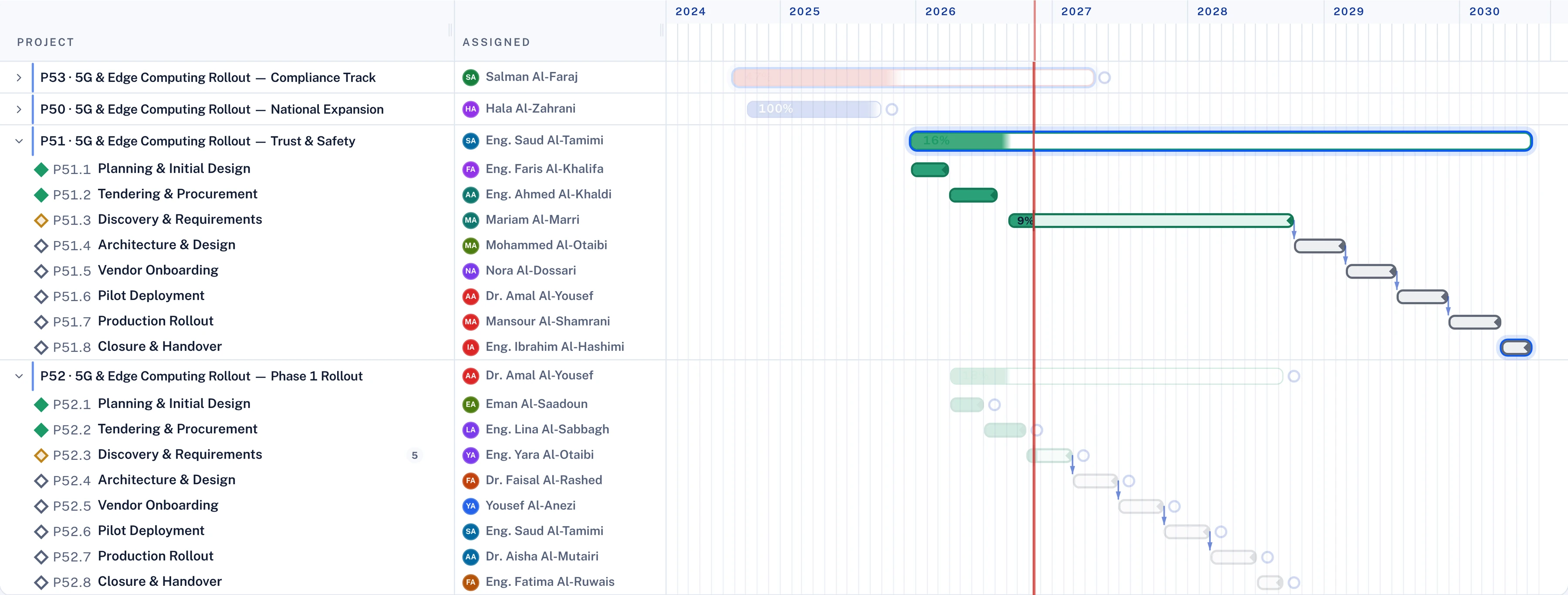
Read the differences in the parallel cycle
Take an illustrative case from the parallel cycle: the old pack shows a project at 70% and the new layer shows 55%. There are three possible reasons, and each needs a different response.
A mapping error. A summary task was counted as work, or a milestone was loaded twice. Fix the import and run it again.
A different scale. The planner weights progress by duration and the roll-up weights it by effort or budget. Choose one basis for the portfolio and print it on the pack.
A claim with nothing behind it. The schedule says a milestone is complete and nobody has accepted it. The old pack could not show this difference. It is the best reason to build the new layer as more than a copy of the old one, as I argue in green, and wrong.
Questions for your next review
- Of the things the old portfolio site did for us, which do we still need and which did nobody use?
- Can our planners keep their current tool, and does the replacement read the files they already save?
- For each project in the roll-up, which strategic objective and which KPI does it serve?
- Who approved the last five date changes on critical milestones, and where is that recorded?
- What will we compare in the parallel cycle, and who signs off the switch?
The retirement took one layer and left the schedules under it intact. Decide what the layer above them should do, then load the files you already have.

Hany is a strategy and transformation executive with a technical background in software and AI. He has advised C-suites at a top-three strategy consulting firm (MBB) and independently, and has run transformation programmes of more than USD 1 billion.
Connect on LinkedIn