Stage gates that make a project prove it is ready to move on
Every project moves through lifecycle stages you configure, and moving to the next one can require forms, documents and an approval from someone other than the person asking. The request, its evidence and the decision stay on the project's record.
What usually goes wrong
And what changes when it runs on one model.
The gate review is a slide deck
The project describes its own readiness and the committee has nothing to check it against.
The approver is the author
The person asking to move on is also the one who signs, because nobody else is on the route.
The evidence is in email
The business case and the sign-off sit in inboxes, and nobody can produce them a year later.
Projects skip ahead
Work starts on the next stage while the last gate is still open, and the stage is edited later.
A lifecycle you configure, pre-project stages included
An administrator names, orders and colours the stages every project moves through, and marks the one that means closed. Ideation and Project request can be added in front as pipeline stages, where a proposal stays out of delivery roll-ups until it passes the gate into delivery.
- Stages added, renamed, reordered and recoloured
- One stage marked as the closure stage
- Projects per stage shown on portfolio pages
Each gate names what it needs and who decides
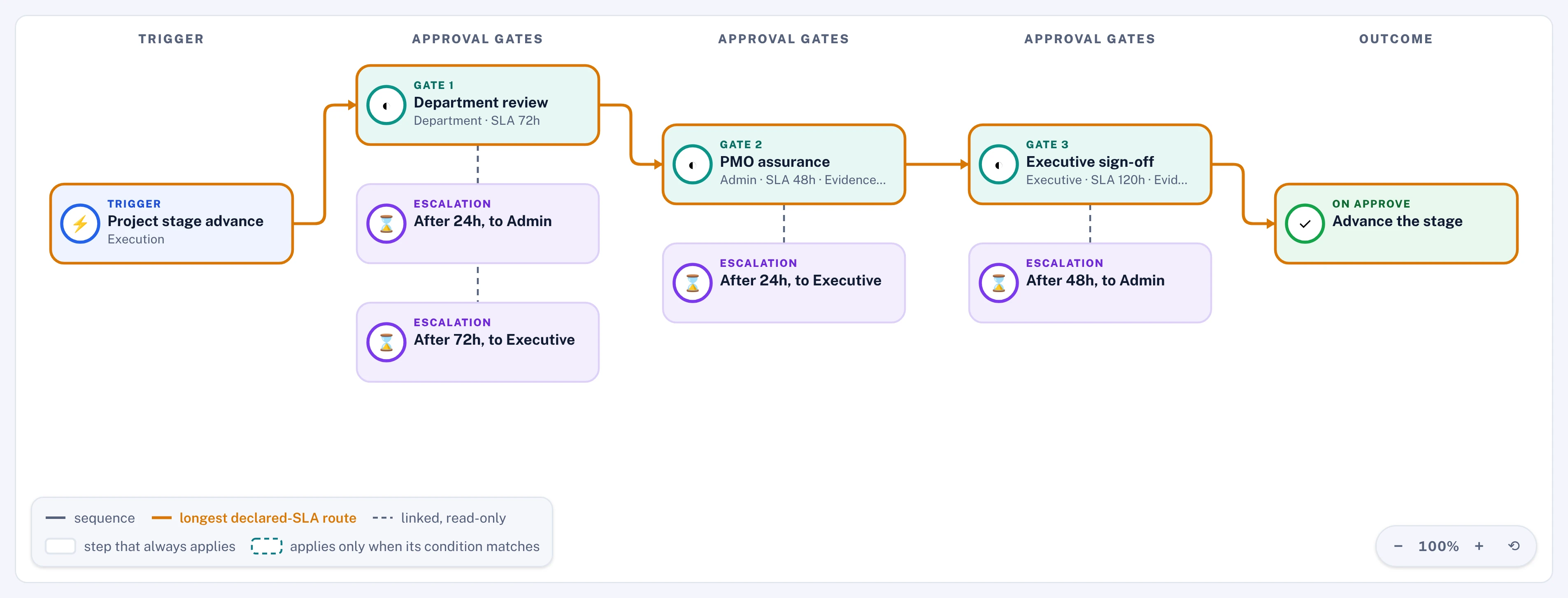
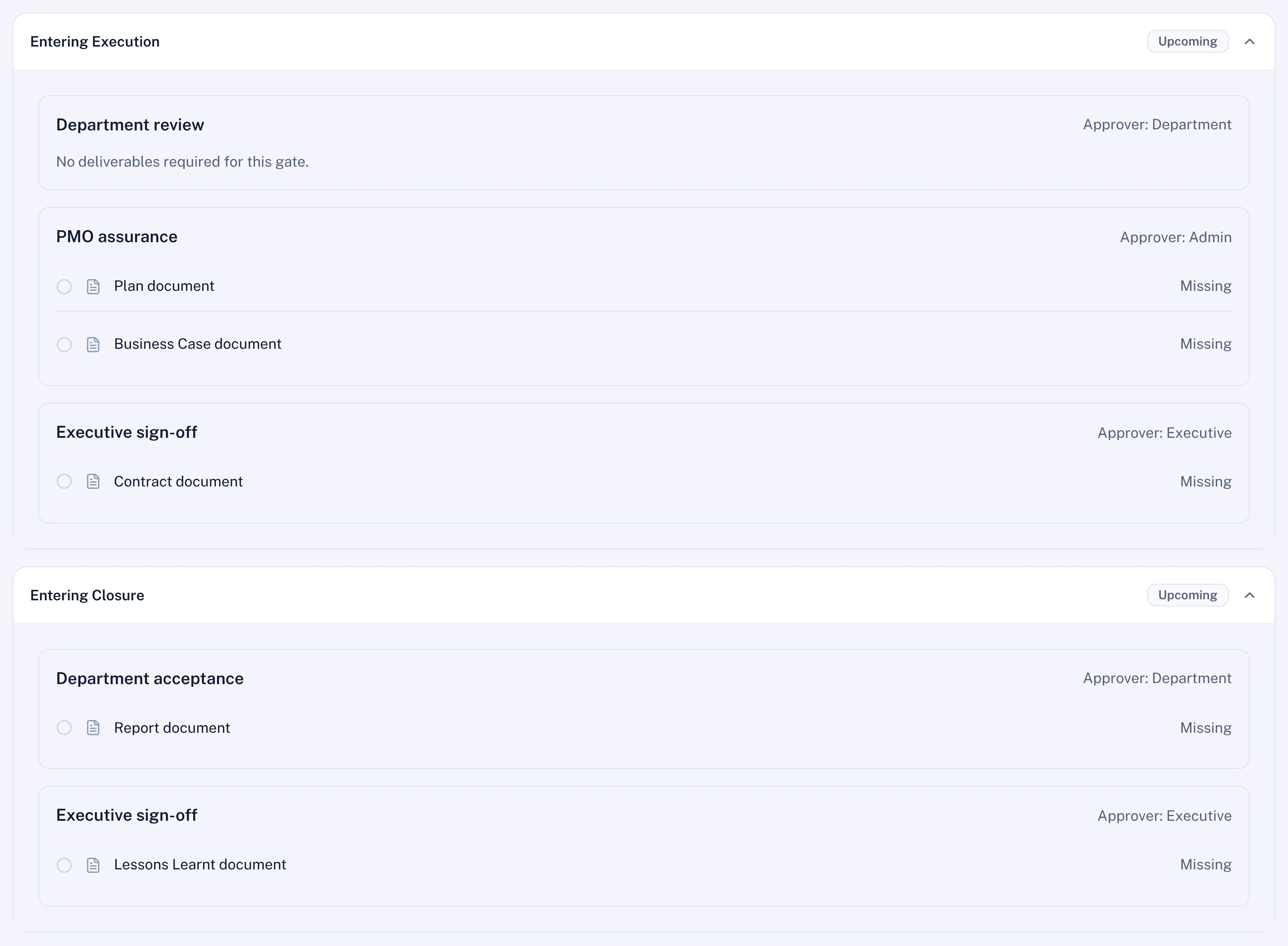
In Workflow Studio a gate workflow applies to every stage advance or to one stage, as an ordered list of steps with an approver for each. A step can require forms and documents, and it cannot be approved until every required item is on the request.
- Documents by template, by category, or any file
- Steps in sequence or in parallel, with a quorum
- Steps that apply by budget, priority or department
A decision with a deadline, kept on the record
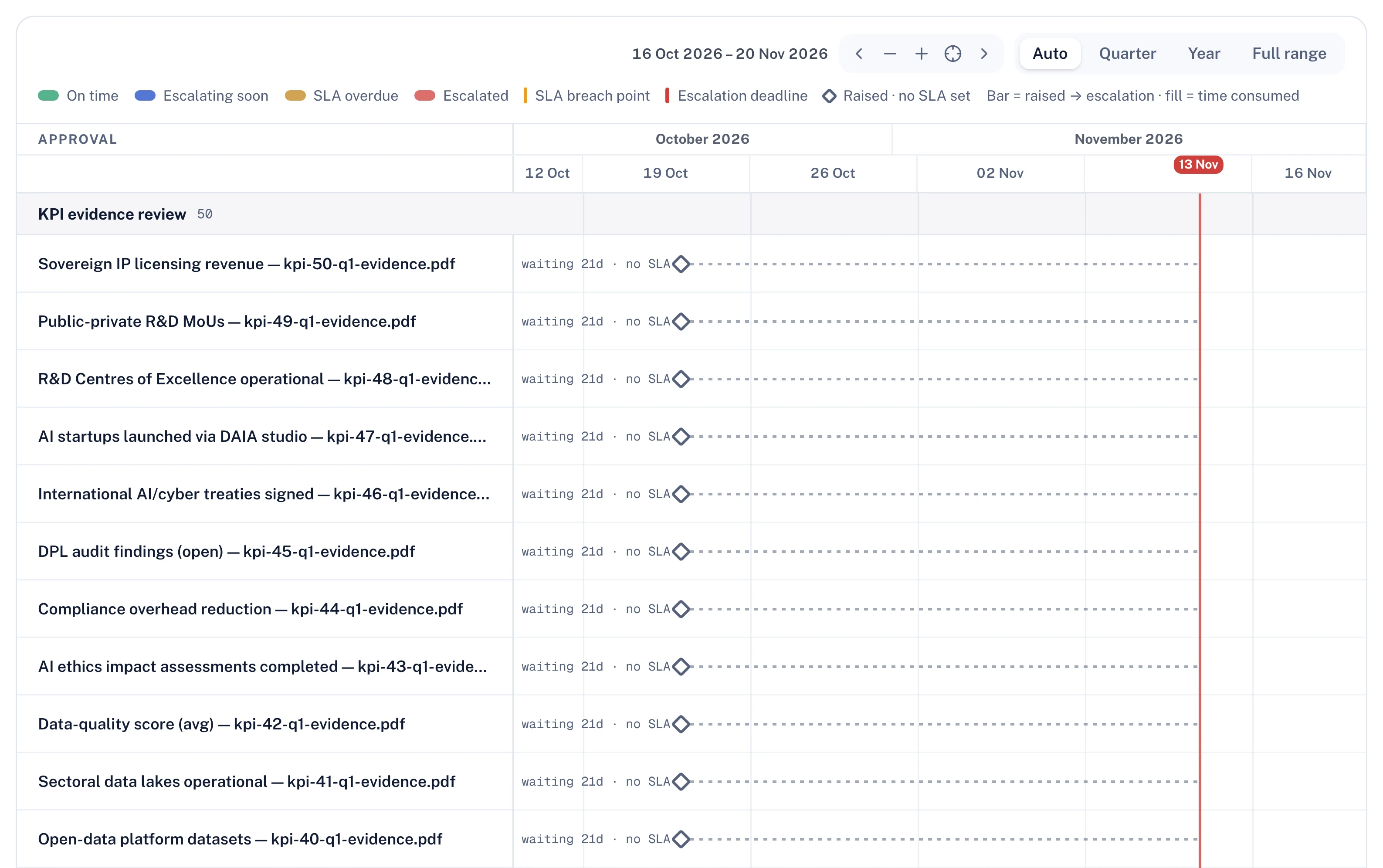
Each step can carry a deadline in hours, with a reminder once it is overdue and an escalation ladder that notifies a wider group. The approver approves, rejects or returns the request for changes, and a resubmission opens a new round with the earlier round kept.
- The requester can never decide their own request
- Approval route fixed when the request is raised
- Each cleared gate and stage move is logged
Unfinished work does not carry a project forward
Activities are linked to the stage they belong to, and a stage advance can warn about or refuse a project whose activities in the current stage are incomplete. An activity reported at 100% counts at a capped value, 95% by default, until it is approved.
- Advance policy set to off, warn or block
- No skipping past a stage that has a gate
- Plan locks once the gate you choose is approved
What you get
Every item runs on the same engines the screens use.
Stages named, ordered and coloured by an administrator, without code.
Approvers, required forms, documents and deadlines set per gate in Workflow Studio.
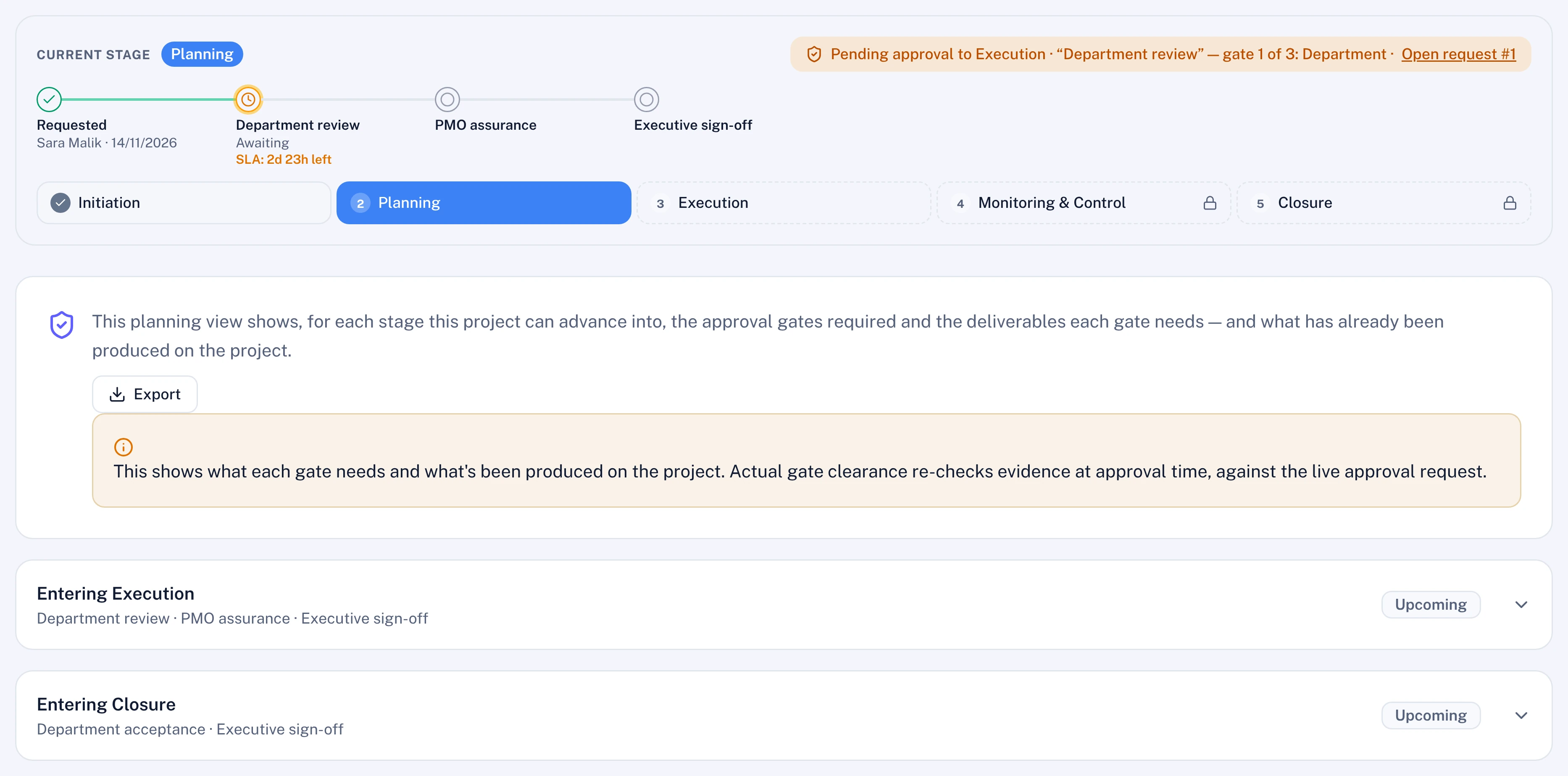
Each project lists the gates ahead, what each one needs and what is already produced.
Moving a project back needs a reason and, under the policy you choose, an approval.
Closure can require forms, handover activities and an approval before the certificate.
Ideation and Project request hold proposals outside the delivery roll-ups.
Questions
Can different projects go through different gates?
Yes. A gate workflow can apply to every stage advance or to one stage, and its steps can apply only when a condition matches, such as the project's budget, priority or department. The list of stages itself is set once for the workspace.
Does Polaris approve a gate?
No. Polaris never approves anything; where it reviews evidence, it reports to the approver. The decision at a gate is taken by a person, and never by the person who raised the request.
What happens to work at 100% that nobody has approved?
It counts at a capped value, 95% by default, in every roll-up until it is approved. A stage advance can also be set to warn or to refuse while activities in the current stage are incomplete.
Can a project be moved back a stage?
Yes, with a reason. Under the policy you choose, every move back needs someone else's approval, and the move is recorded as reversing the approved advance.
From the blog
Our founders on stage gates and lifecycle. More on this topic