Risk advisor
AdvisesExposures that threaten delivery, mitigations that stalled, and new risks the register is missing.
- Reads
- Risks, issues, schedule, findings
- Produces
- New risks and mitigation moves
Risks, issues and actions live with the projects they threaten. Stage gates and approvals carry their approver, evidence and deadline, and every decision links to the plan item it moves.
And what changes when it runs on one model.
Risks are logged once and reviewed at the next committee.
An item waits three weeks because nobody knew it was theirs.
Minutes say one thing and the plan still says another.
Nobody can show who approved what, and on what evidence.
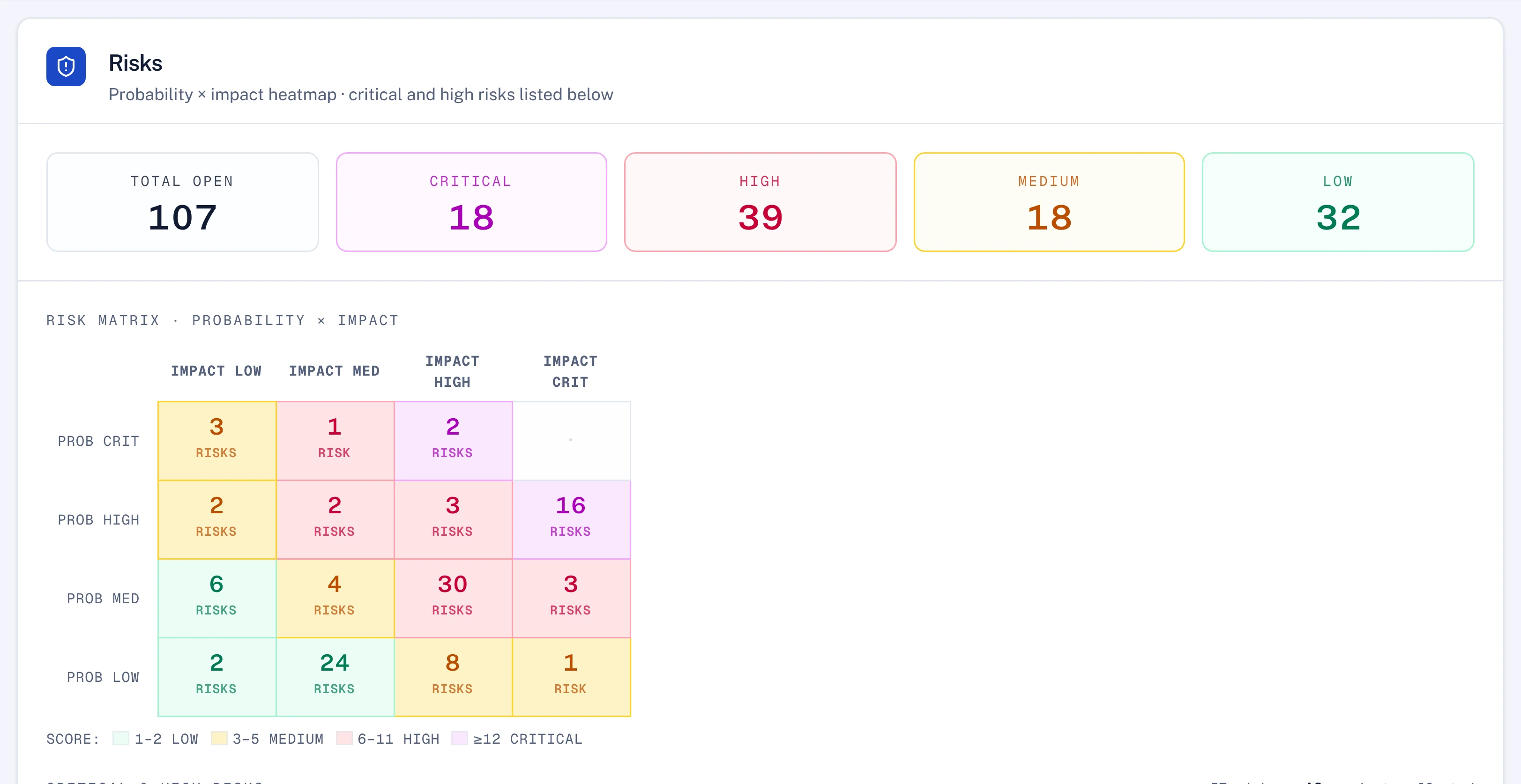
Every risk with its probability, impact, owner and mitigation, grouped by department and placed on the matrix.
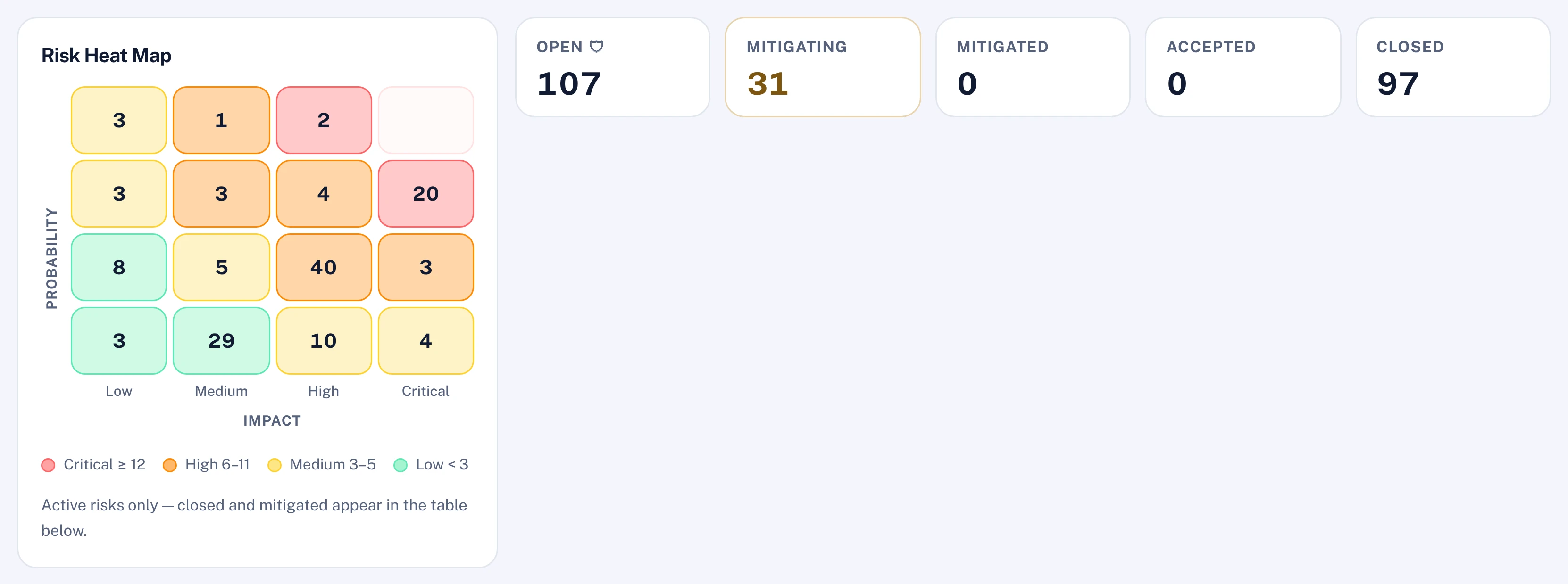
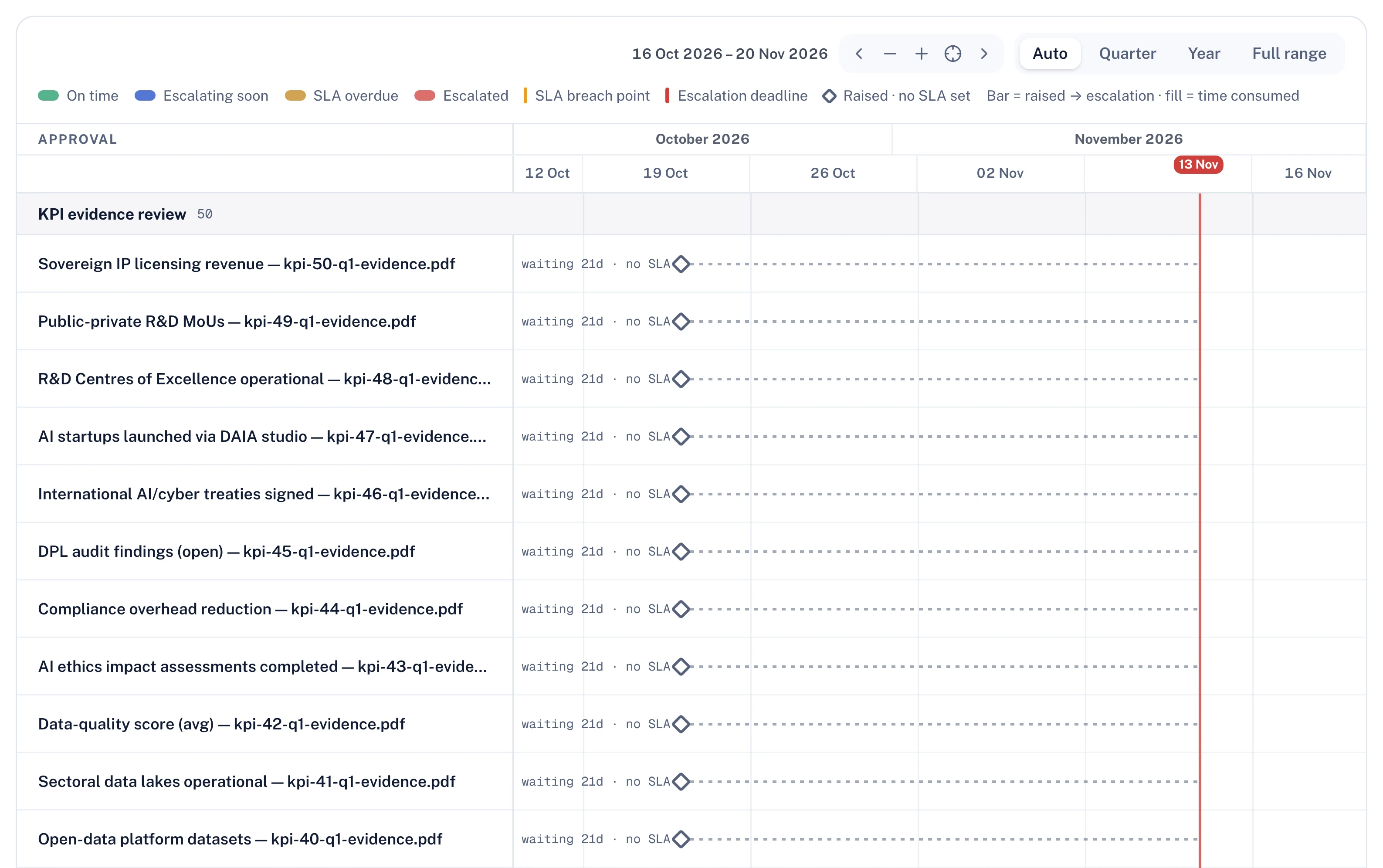
KPI evidence, gates, closures, budget changes and change requests wait in one queue, each with its approval path.
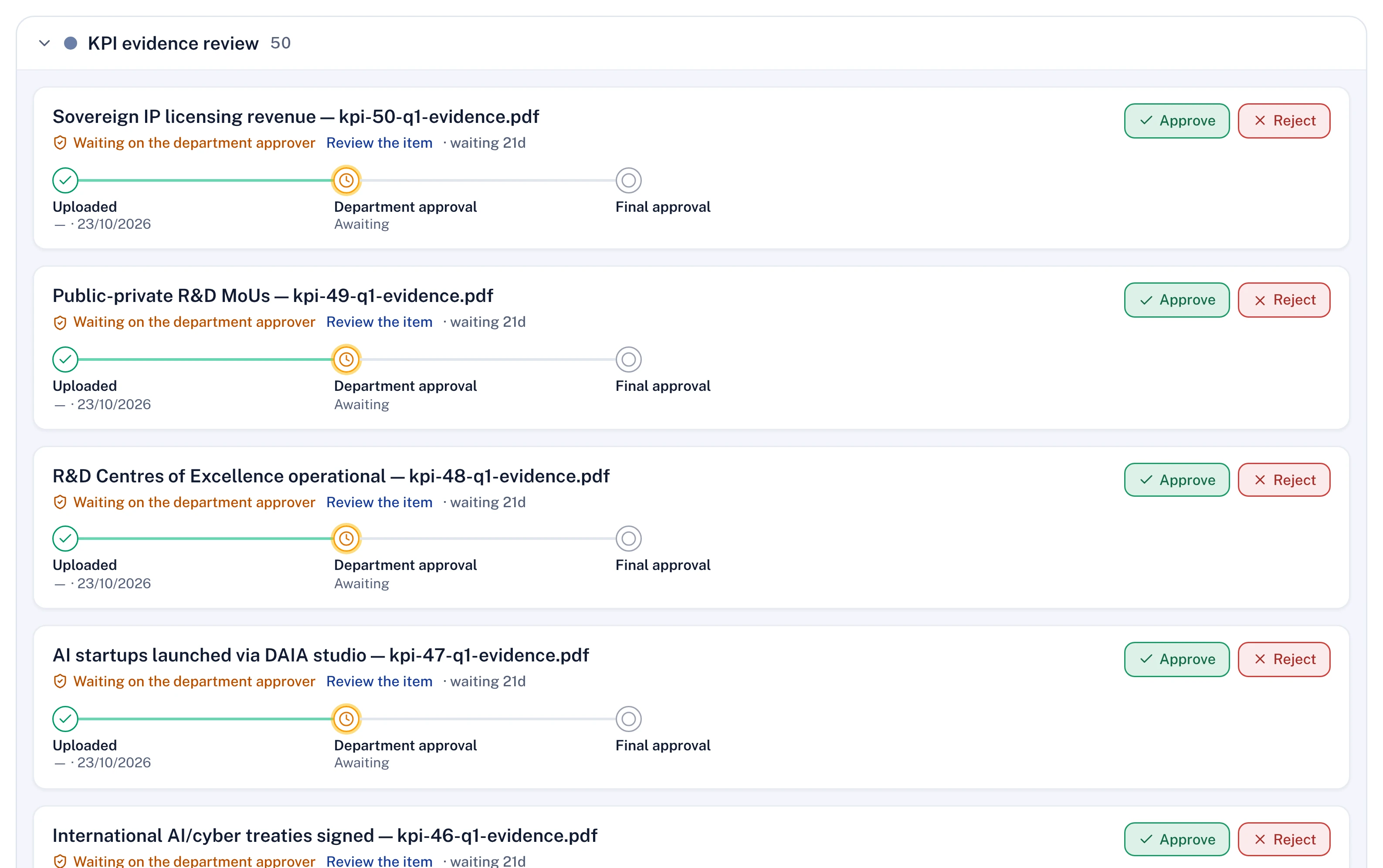
Each approval is drawn against its deadline. When it passes, the item escalates to the next level without anyone chasing.
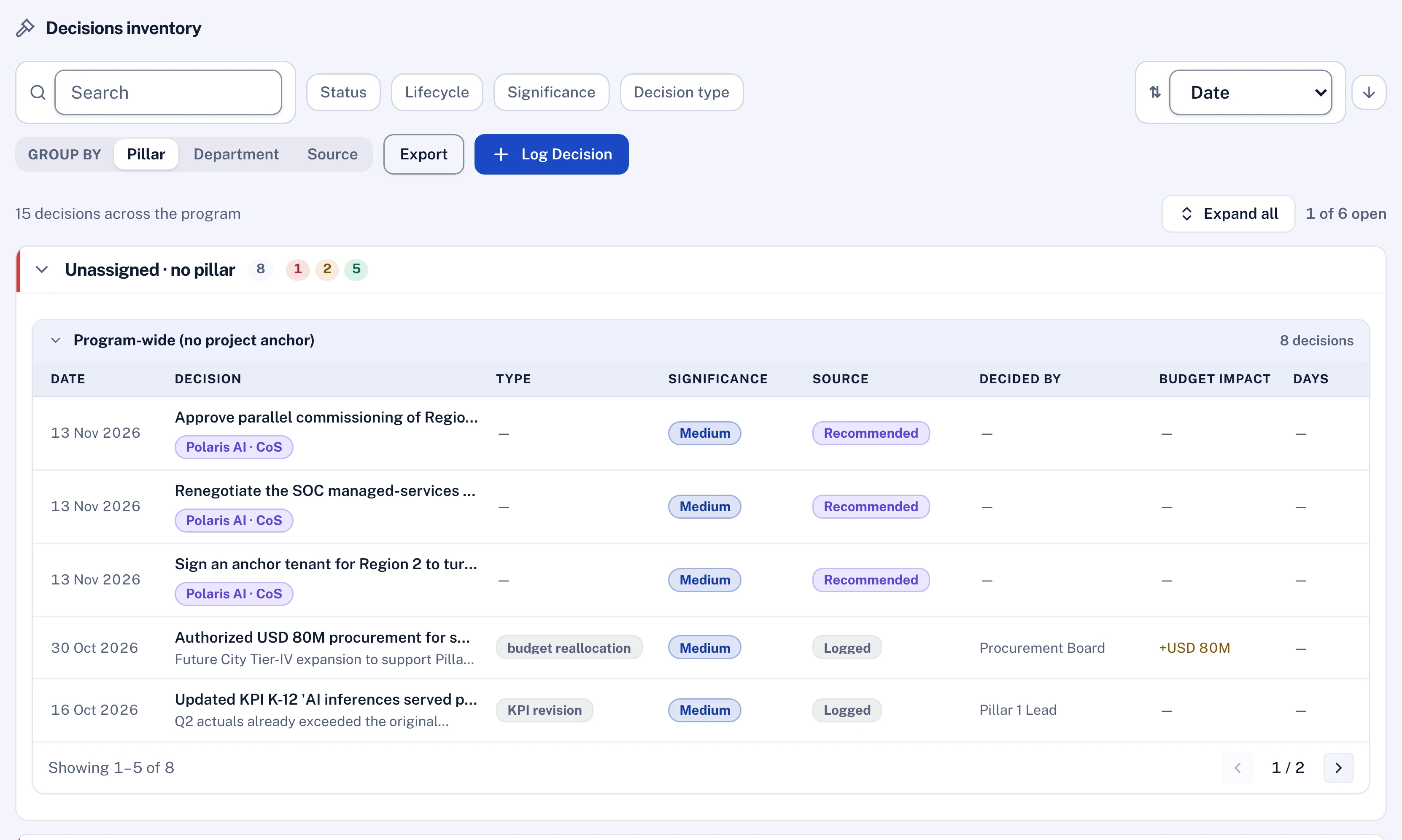
Every decision carries its source, type, significance and budget impact, and links to the project, pillar or gate it changes.
Every item runs on the same engines the screens use.
One register per project, rolled up across the programme.
No-code gates with approvers, evidence and deadlines.
One queue with escalation and delegation.
Members, meetings, decisions and actions per body.
Change requests with impact and approval.
Who changed what, when and on whose approval.
The advisors and agents that work in this part of the platform. All agents
Exposures that threaten delivery, mitigations that stalled, and new risks the register is missing.
Checks whether the evidence attached to an approval supports the change, for the approver.
Reads meeting minutes and extracts the decisions and actions, linked to the plan.
Reads all seven briefs, reconciles where they disagree, and writes the one page leadership acts on.
Yes. Approval paths, thresholds and time-boxed delegation are configured per type of item.
No. Polaris can assess the evidence attached to an approval and say whether it supports the change. The decision stays with the approver.
Send us a slice of your portfolio and we load it before the session, from strategy down to task.