In short
- An assistant added to a status tool summarises what owners typed, and cannot see what they left out.
- The AI should read the evidence and the whole model, then propose changes a person approves.
- Link each KPI to the work it depends on, so its forecast moves when the plan does.
The release notes arrive on a Monday. The strategy execution tool now has an AI assistant. It sits in a panel on the right, it can summarise any project, and it will write the first draft of the monthly pack. The PMO tries it on the March review, and the draft is good. It is quicker than the analyst and it reads better.
Then the steering committee meets. The draft says the digital initiatives are on track. Two of the three KPIs they were meant to move have had no reading since January, and the projects behind them each reported green because each owner typed green. The assistant summarised what it was given, which was the same self-reported status the pack always had.
Nothing went wrong with the AI. It did what an assistant added on top of a status tool can do.
Every strategy execution platform now offers an assistant like this one, and strategy still stalls in the same place: between the targets the board set and the work meant to move them. AI-native strategy execution asks for something harder than a chat panel. The AI has to work inside the model that connects strategy to task, read the evidence before the claim, and propose changes that a person with the authority approves.
What goes wrong when the AI is bolted on
An assistant added to an existing tool inherits that tool's data and its habits. Four limits follow, and they compound.
It reads the status, because the status is what the tool holds. Most tools store the owner's percentage and colour, and the documents sit somewhere else. An assistant asked how a project is going can only restate the answer the owner already gave. I wrote about what that does to a board pack in AI will polish a watermelon.
It sees one layer at a time. The KPIs live in one module or one product, the projects in another, the budget in a third. When the link between a KPI and the work is a field filled in once at intake, the assistant cannot say which work the KPI depends on, so it cannot say why the KPI is off.
It has no route for what it finds. A good assistant will notice that a milestone is late or a target is out of reach. Then it writes a sentence. Someone has to read the sentence, open the right screen, make the change, and send it for approval if anyone remembers. The finding stops at the chat window.
Nothing it says is kept as a decision. The recommendation lives in a conversation. Three months later nobody can show what the AI proposed, who accepted it, what changed as a result, or whether it worked.
So the AI makes the existing loop faster without changing what goes round it. The board still steers by self-reported status, now in better prose.
What AI-native strategy execution takes
Five design properties matter most. Ask them of any strategy execution software, including the tool you run today.
Keep one model from the board's targets to the task
Objectives, KPIs, initiatives, projects, activities and tasks should be one set of linked records, held once. Progress should roll up through every level by a rule everyone can read. Then a question about a KPI can be answered by walking down to the work, and a question about a late task by walking up to the target it serves. An AI working on that model can make the same walk. An AI working across four disconnected tools can only describe each one.
In Lodestar, pillars, initiatives, projects, activities, tasks and sub-tasks sit in one live model, and progress rolls up through every level. The Polaris assistant reads that model with the permissions of the person asking, and no wider.
Put the evidence in front of the model, and the claim behind it
Progress should count when the evidence for it has been approved by someone other than the owner. That rule matters more once an AI reads the programme, because a model reasons towards whatever claim it is handed. Give it the files first and let it say what they show. Then compare that with the owner's figure, and put both in front of the approver.
In Lodestar, an activity cannot be submitted as complete without the evidence its gate requires, and a claimed 100% counts as 95% until someone else approves it. Polaris reads the submitted files and works out the value without seeing the claimed one, then tells the approver what supports the claim and what does not; it never approves.
Let the AI propose, and a person approve
A finding is useful when it arrives as a change ready to apply: the record, the field, the value before and after. A person with the authority reads it and applies it, or does not. The change then travels the same approval route as one typed by hand. The AI saves the drafting, and the governance stays where it was.
In Lodestar, the Polaris assistant works in the app and in Microsoft Teams, Slack and WhatsApp: an owner replies in plain words or uploads a field report, and the assistant shows the proposed changes as a card with before and after. Nothing changes until the person presses Apply, and the change is made with their own permissions and still goes for approval if a workflow governs it.
Forecast each KPI from the work linked to it
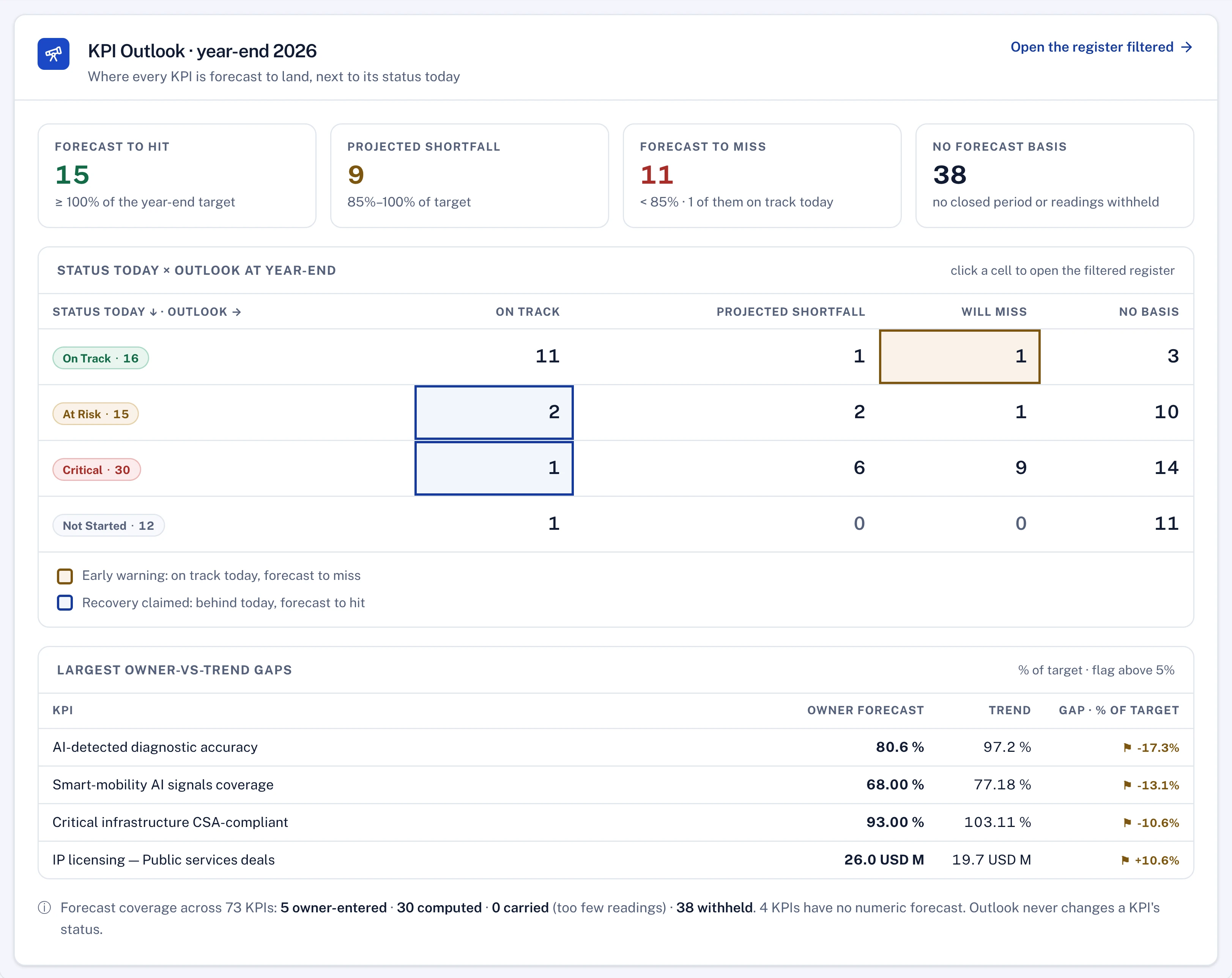
A KPI forecast drawn only from past readings shows where the trend line goes. It cannot see that the milestone the KPI depends on has slipped past the KPI's due date. Link each KPI to the delivery item its progress depends on, and the forecast can move on the day the plan moves, months before the reading does. Software is well suited to this: checking every KPI against the schedule beneath it, every week, which no analyst has time to do by hand.
In Lodestar, any KPI can be linked to one activity, milestone, task or sub-task. A milestone KPI is then done when that item is done, and reads At risk as soon as the item is planned to finish after the KPI's due date or its activity is rated Delayed.
Record every decision, and check it later
A recommendation that was accepted is a decision. Keep it as one: what was proposed, what the simulation showed, who approved it, what changed and when. Then check after a few weeks whether the result arrived. Without that record an AI's advice cannot be audited, and it cannot improve, because nobody knows which advice worked.
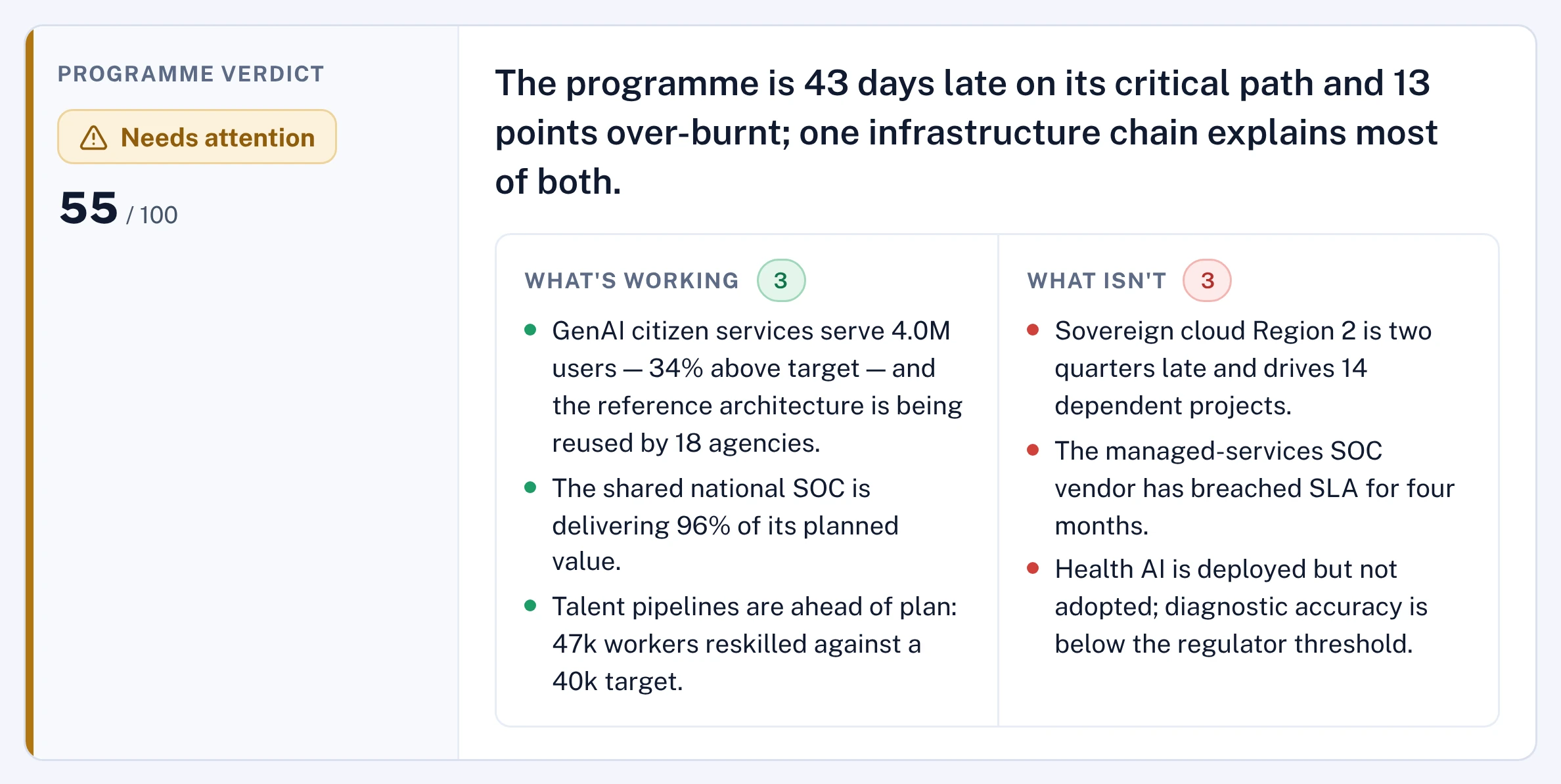
In Lodestar, seven AI chiefs read the programme each cycle and a Chief of Staff reconciles them into one brief. A recommendation is simulated in a sandbox before a person approves it, and the decision goes into a write-once log so that its outcome can be measured weeks later.
See the properties on your own data
Each of the five can be watched in a vendor session. Ask the assistant to change a date and follow where the change goes. Ask which work a KPI depends on, and slip that work. How to run such checks fairly, on your own programme, is the subject of seven tests for strategy execution software.
Questions for your next review
- When our AI assistant summarises a project, what is it reading: the owner's status, or the evidence behind it?
- For our five most important KPIs, which delivery items does each depend on, and would the forecast move if one slipped?
- When the AI last found a problem, who turned it into a change, and who approved that change?
- Can we list the AI recommendations accepted last quarter, and say which of them worked?
An assistant can make a strategy office faster at describing the programme. The strategy moves only when the description is true and someone with the authority acts on it.

Hany is a strategy and transformation executive with a technical background in software and AI. He has advised C-suites at a top-three strategy consulting firm (MBB) and independently, and has run transformation programmes of more than USD 1 billion.
Connect on LinkedIn